You can generate IR blast commands from Control4 without an Opto-Coupling Cable (P8-IR-OPTOCABLE), by connecting a supported IR flasher directly to your HDBaseT receiver.
This applies to Made for Binary neo:X:SR, neo:X:MR and neo:X+ matrices. Non-Made-for-Binary neo:X+ units may not support this feature, depending on hardware revision.
Before You Start
You'll need an HDBaseT receiver and a supported IR flasher. See the IR Hardware Support Article for a list of compatible IR products.
Check whether your IR flasher is 5V or 12V before making any physical connection. Connecting the wrong voltage IR flasher or receiver can cause serious damage to the IR device, the receiver, and/or the matrix itself.
Step 1 — Set the IR Voltage on the Output
1
Open the Admin Area On the matrix web UI, go to the Admin Area.2
Open the output that needs IR Click the settings icon on the relevant output.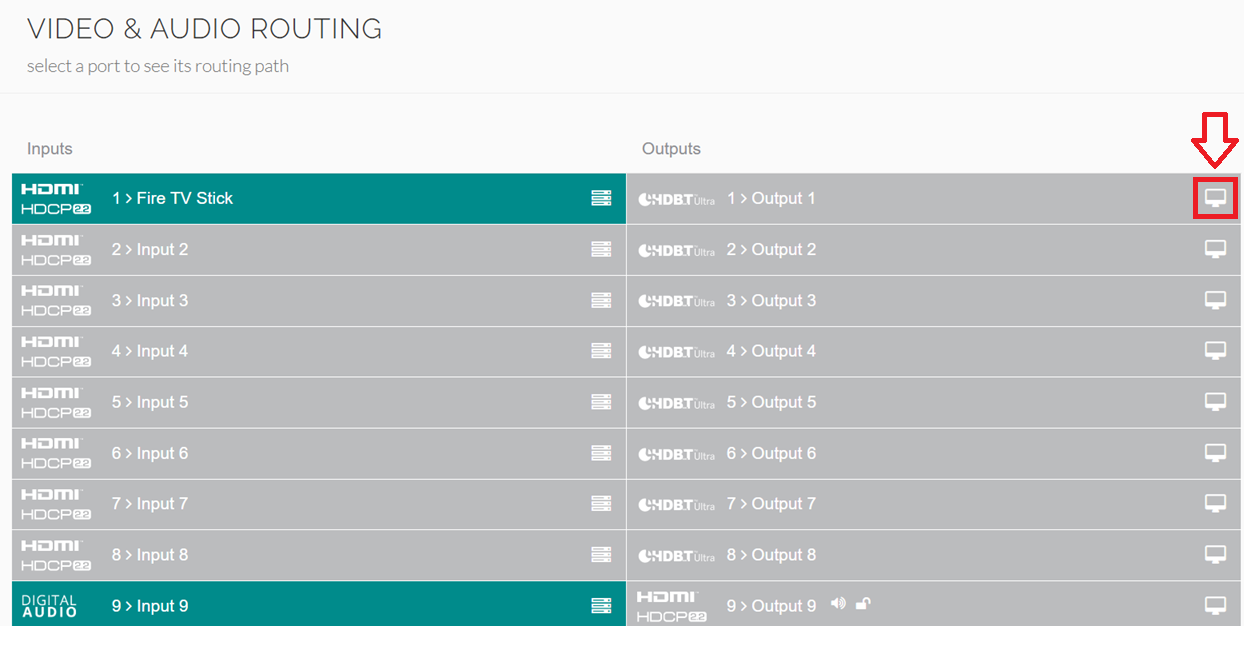
3
Set "Enable IR 12V" to match your flasherEnable this toggle for 12V flashers, or disable it for 5V
flashers.
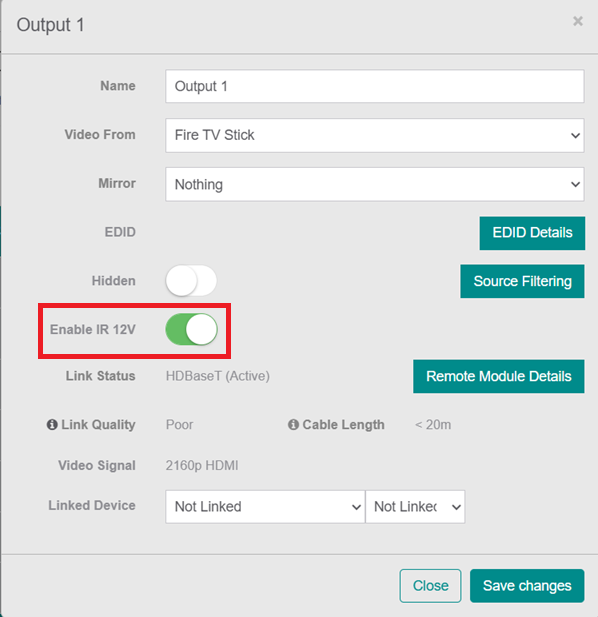
Once this is set correctly, it's safe to connect the IR flasher to the HDBaseT receiver.
Step 2 — Wire the Physical Connections
Connect the IR flasher to the IR TX port and any receivers to the IR RX port on the HDBaseT receiver.
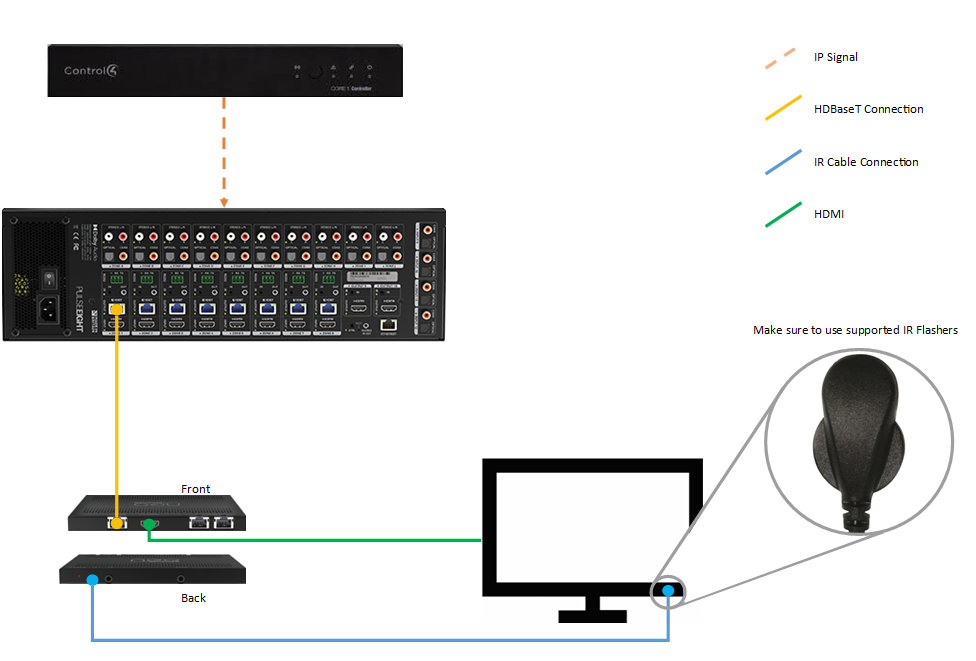
Use the IR TX port for flashers and the IR RX port for receivers. Connecting these the wrong way round will prevent IR from working.
Step 3 — Configure Control4 Composer
1
Add your devices In Composer, add your Control4 Controller, the neo:X+ matrix, and an output device driver that supports IR input.
2
Match the IR output to the HDBaseT outputUse the IR output with the same number as the HDBaseT output feeding your IR-controlled device. For example, if Output 1 carries HDBaseT to your IR-controlled TV, use IR Output 1 as well.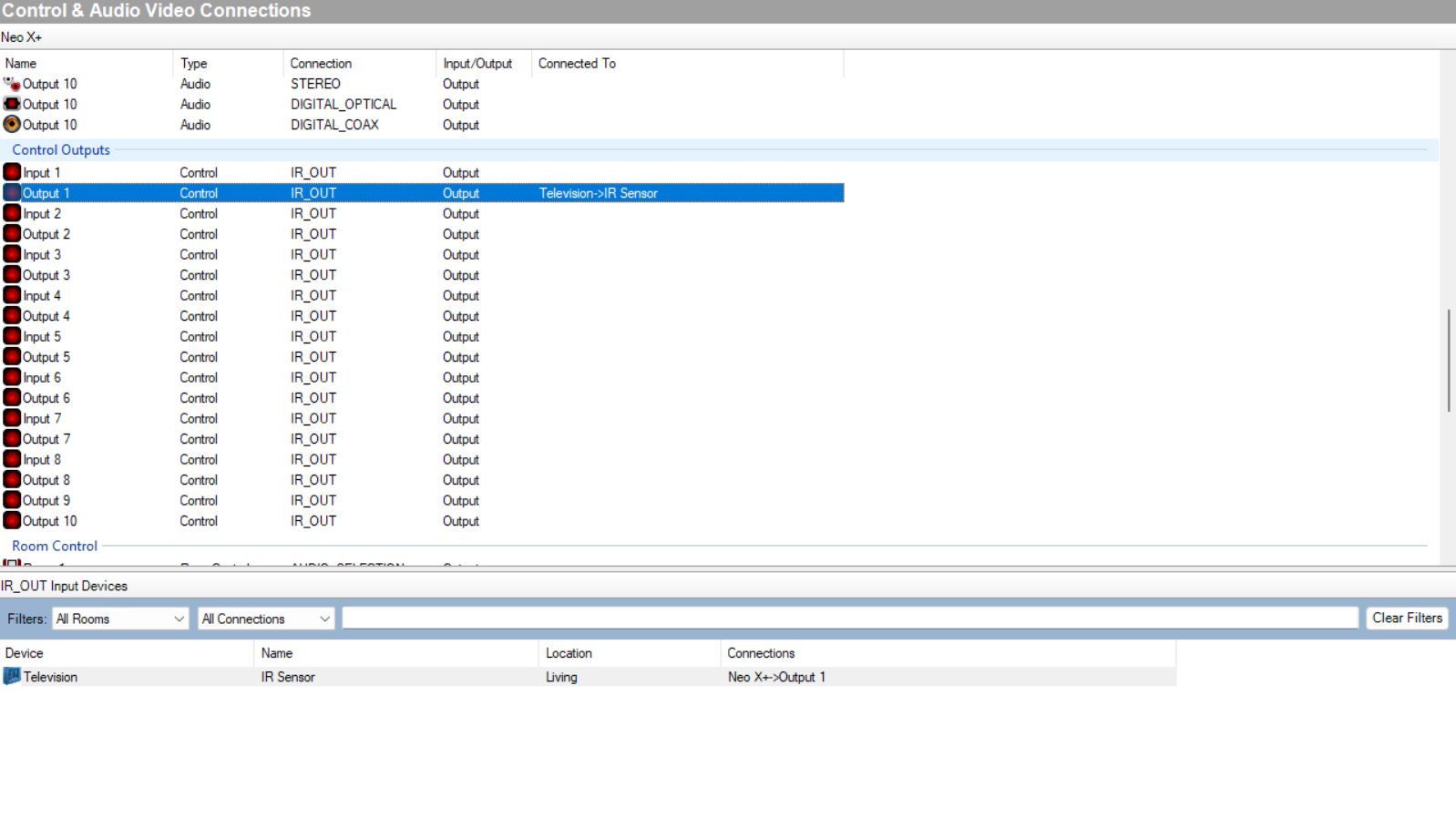
3
Connect the IR output to the deviceConnect this port to the IR input on the output device.No connection is needed between the Control4 Controller and the neo:X+ itself — commands are sent over IP.
Result
You should now be able to generate IR commands from Control4 that emit from the IR flasher connected to the HDBaseT receiver.
Related Articles
Not getting IR commands through from Control4?
Get in touch and we'll help you get it sorted.
UK: 01202 413 610 | US: (858) 748-8250 | support@pulse-eight.com
Get in touch and we'll help you get it sorted.
UK: 01202 413 610 | US: (858) 748-8250 | support@pulse-eight.com