The 12V trigger outputs on a ProAudio switch send a 12V signal to an external device — commonly used to turn on an amplifier or projector automatically when a specific zone is activated.
If you don't already have an Installer ID and User Auth Code, contact your local distributor or Pulse-Eight Sales and Support to get set up at monitoring.pulse-eight.com.
For help downloading and connecting the Config Tool itself, see Connecting to the ProAudio Config Tool.
Assigning a Trigger to a Zone
Open the Config Tool, select your switch, and go to the Stereo Zones tab. Find the zone you want to trigger from, and set its Trigger field to the trigger number you want to use — either by typing the number directly or using the up/down arrows.
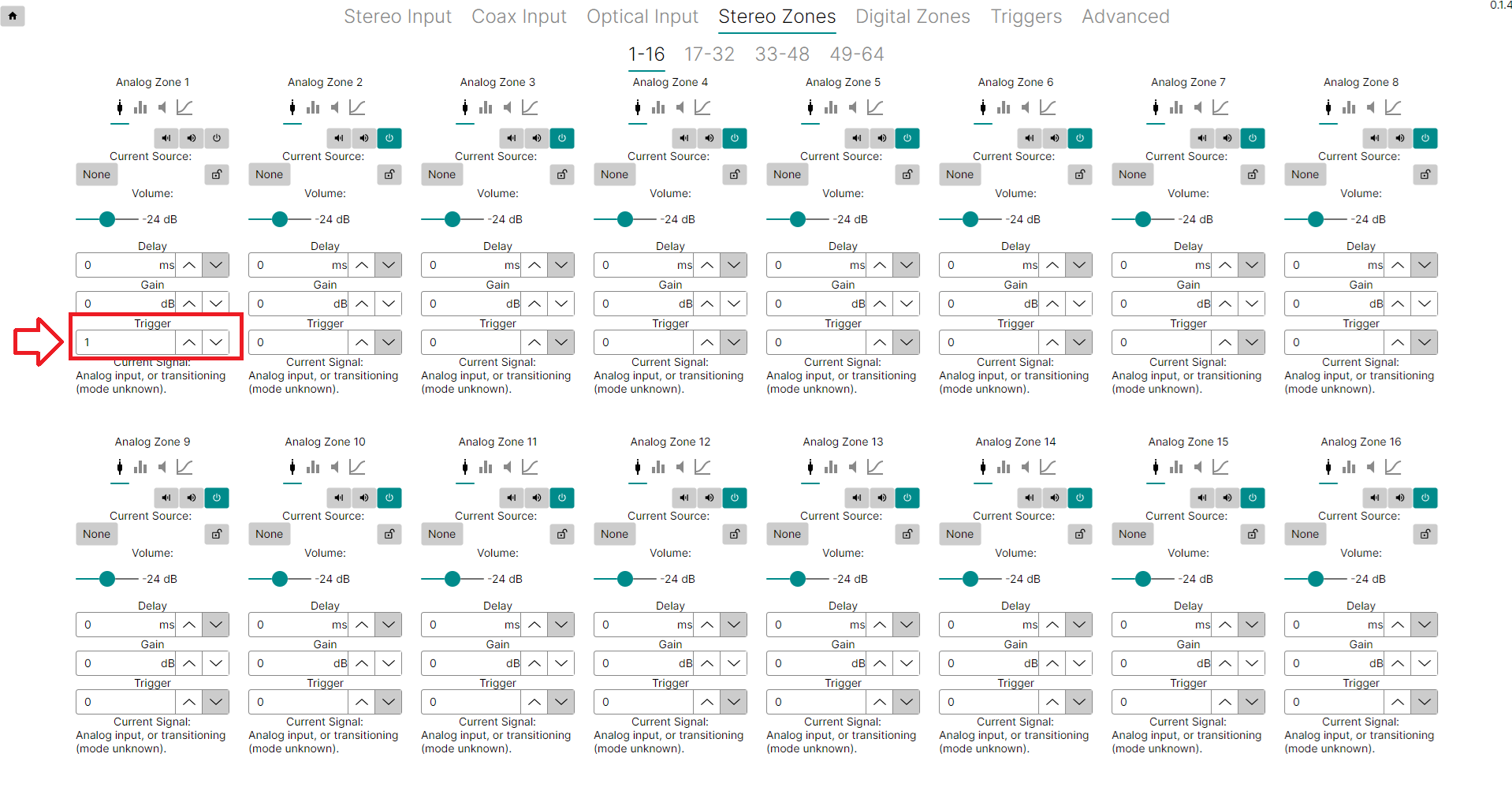
Managing Triggers
Switch to the Triggers tab to see all trigger outputs and which zones are currently assigned to each one.
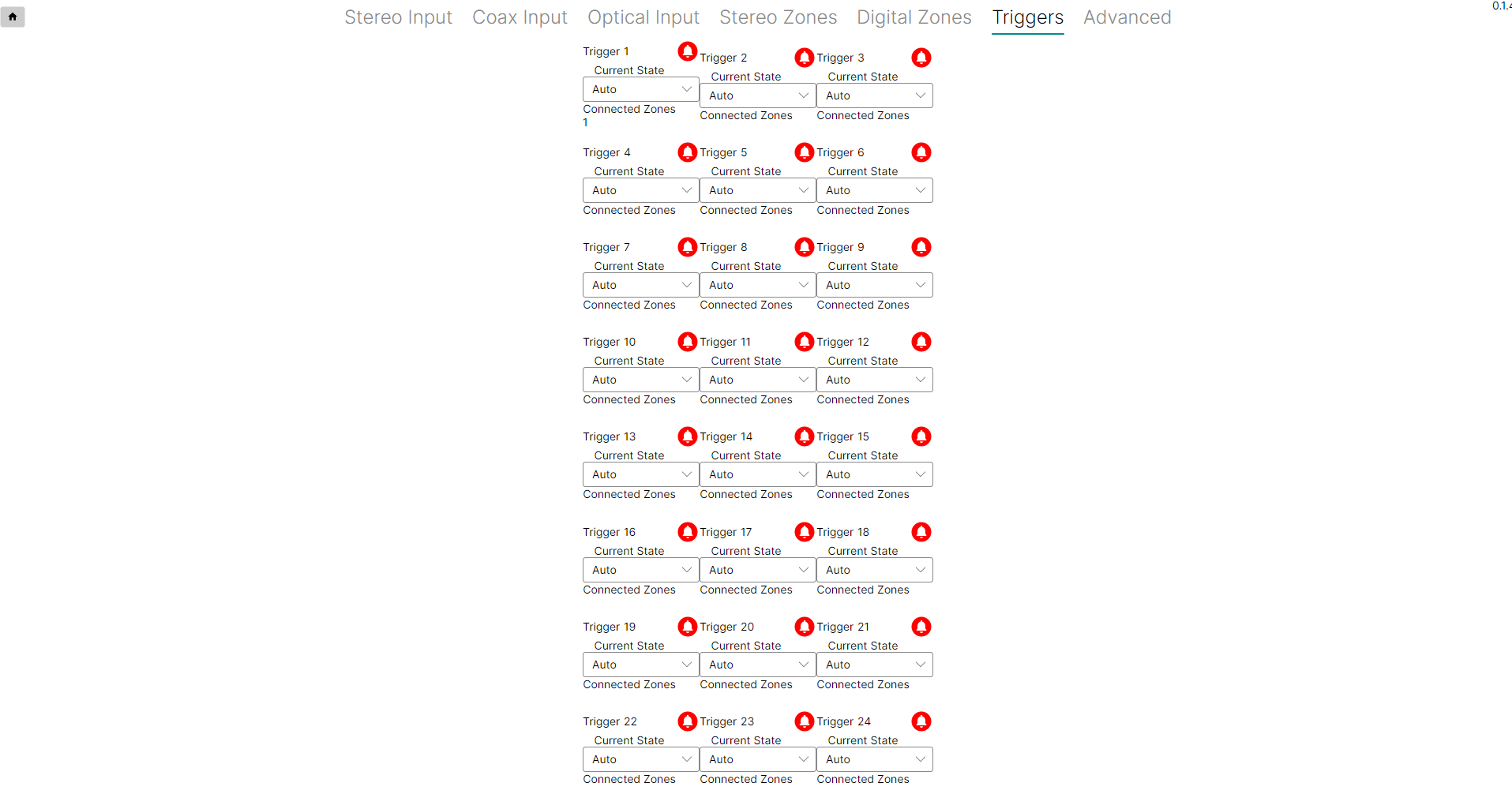
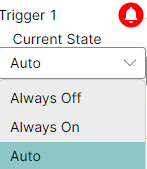
Each trigger has a Current State setting, defaulting to Auto:
| State | Behaviour |
|---|---|
| Auto | The trigger activates whenever any assigned zone is powered on, and switches off once every assigned zone is powered off. |
| Always Off | The trigger never activates, regardless of zone power state. |
| Always On | The trigger stays on permanently, regardless of whether an assigned zone is powered on. |
Coax and Optical Outputs
There's no direct way to fire a 12V trigger from a Coaxial or Optical output's power state. A workaround is to set a Digital Zone to mirror an Analog Zone, then assign the trigger to that Analog Zone instead — the trigger will fire whenever the mirrored analog zone is powered on. This does mean dedicating an analog zone to the mirror.
Related Articles
Our support team can help troubleshoot Config Tool or trigger wiring issues.
UK: 01202 413 610 | US: (858) 748-8250 | support@pulse-eight.com