Each zone has a crossover filter that can pass only low frequencies, only high frequencies, or be disabled entirely. This is what lets a subwoofer handle the bass while the main speakers handle everything else, without either one straining or distorting.
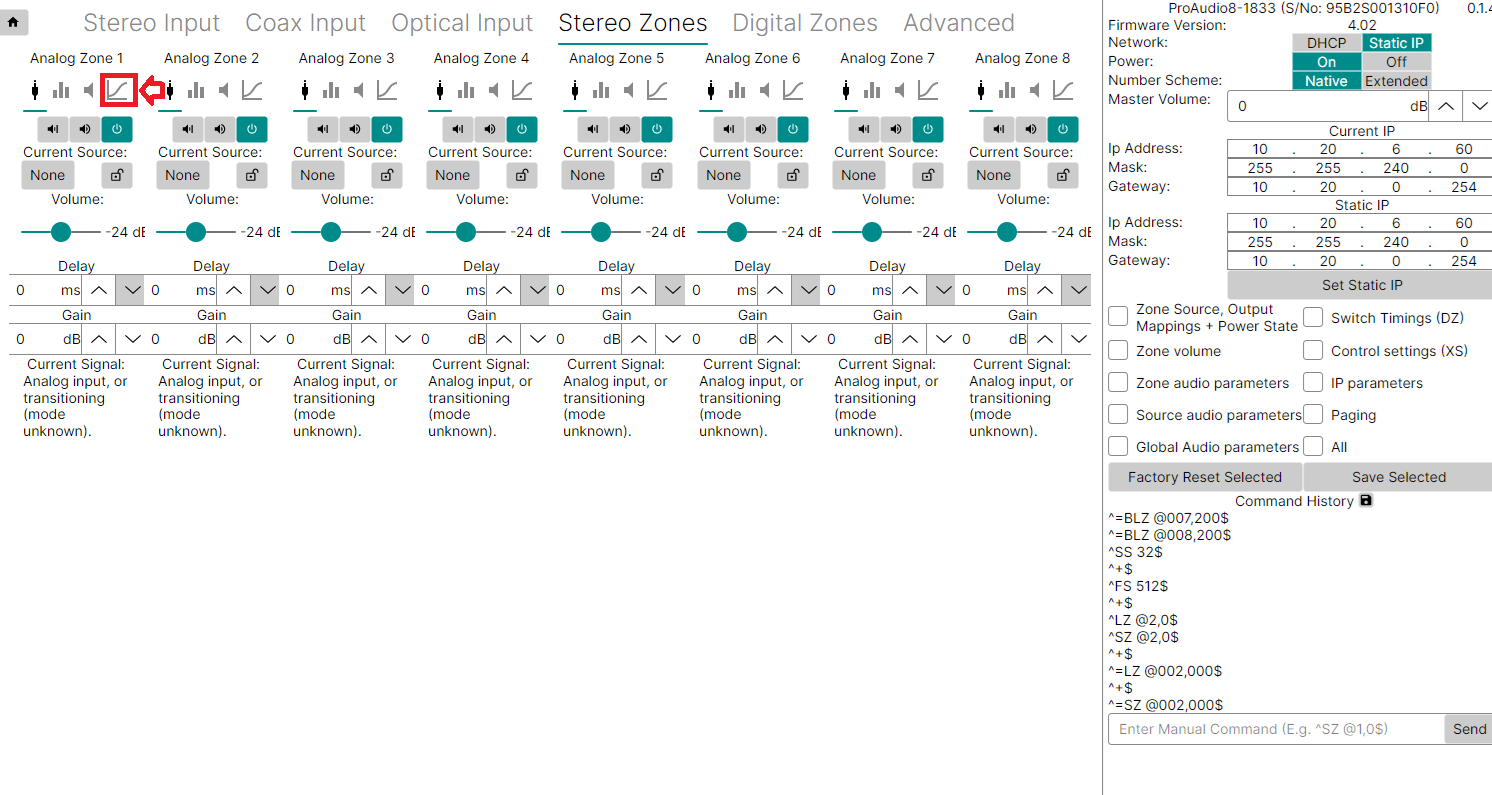
Opening the Filter Settings
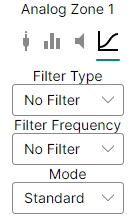
Setting the Filter Type
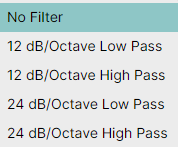
If these don't mean much yet, that's fine — as a starting point, use 24 dB/Octave Low Pass on the subwoofer zone and 24 dB/Octave High Pass on the main stereo speakers zone. The 12 dB vs. 24 dB choice controls how sharply the filter cuts off frequencies beyond the crossover point — it's safe to experiment and listen for what sounds best.
Setting the Filter Frequency
The Filter Frequency dropdown sets the crossover point — the frequency where the subwoofer hands off to the main speakers.
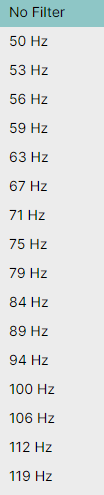
Both the subwoofer and the main speaker zone should be set to the same frequency. It's typically somewhere between 100 Hz and 150 Hz, though the full range runs from 50 Hz to 300 Hz — again, safe to experiment and listen for what sounds best.
Backing Up the Filter Settings
^SS 512$ followed by ^+$, confirming the save was accepted.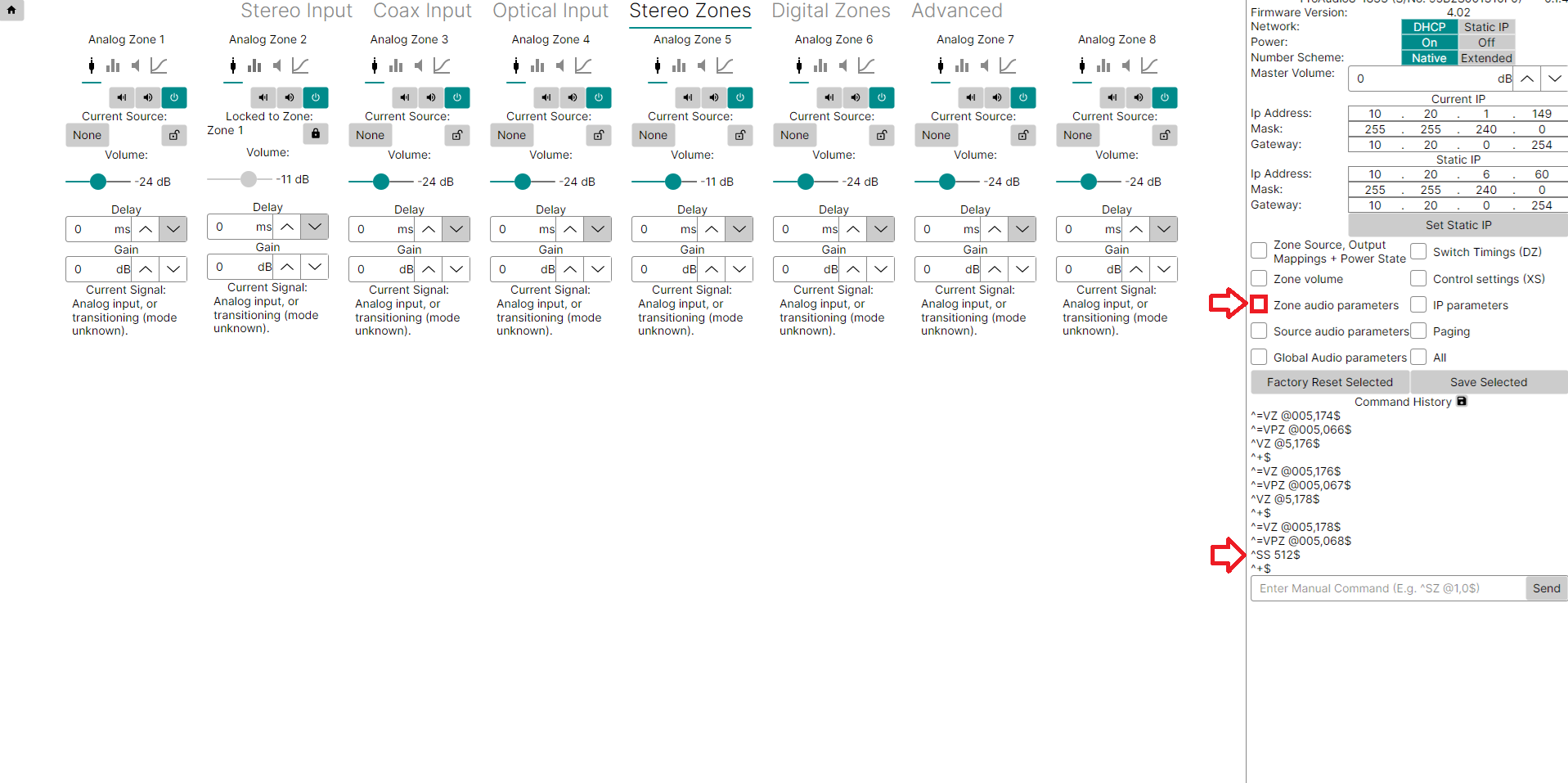
Related Articles
- Locking Two (or More) Zones Together (Config Tool)
- ProAudio Config Tool — Overview and Interface Guide
- Downloading and Connecting the ProAudio Config Tool (Windows)
Our support team can help troubleshoot crossover filter or Config Tool issues.
UK: 01202 413 610 | US: (858) 748-8250 | support@pulse-eight.com