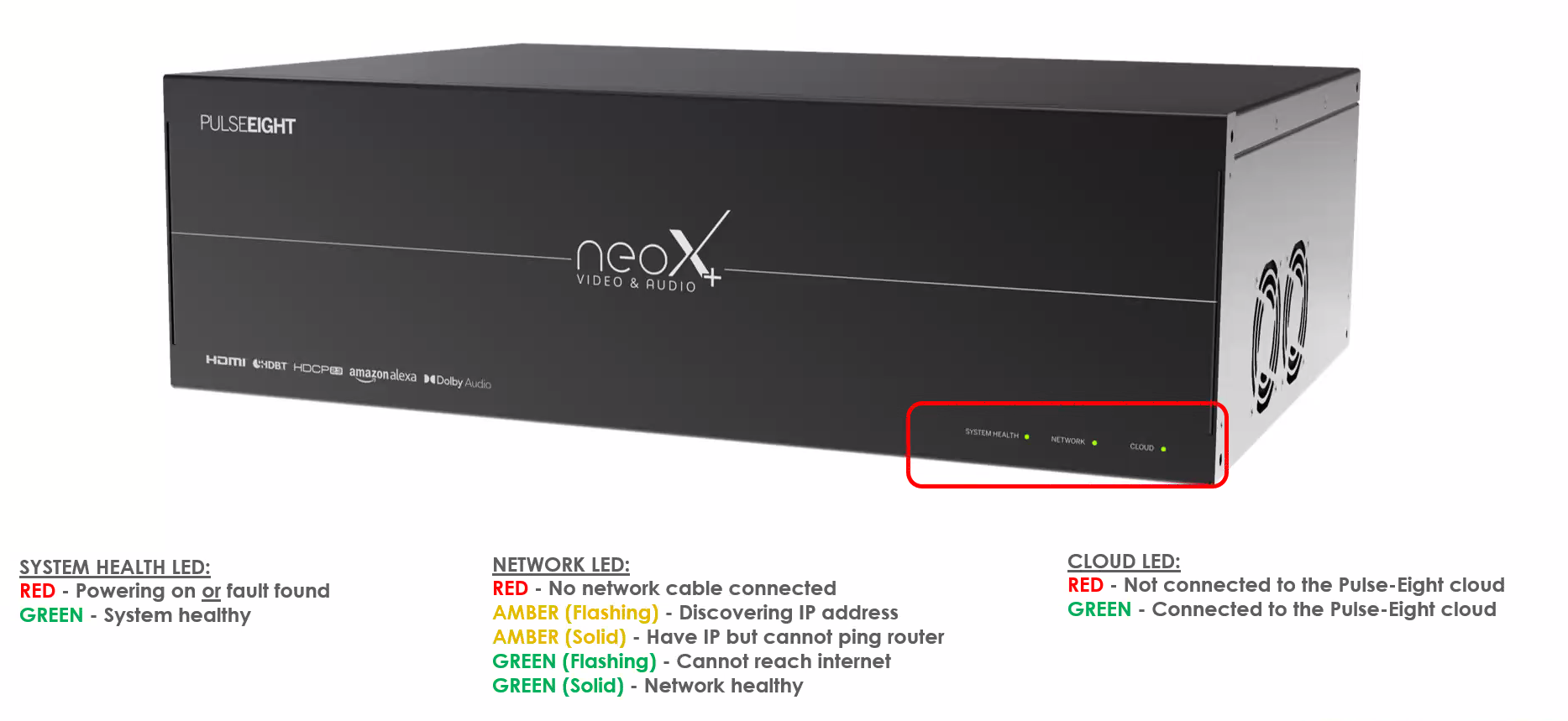
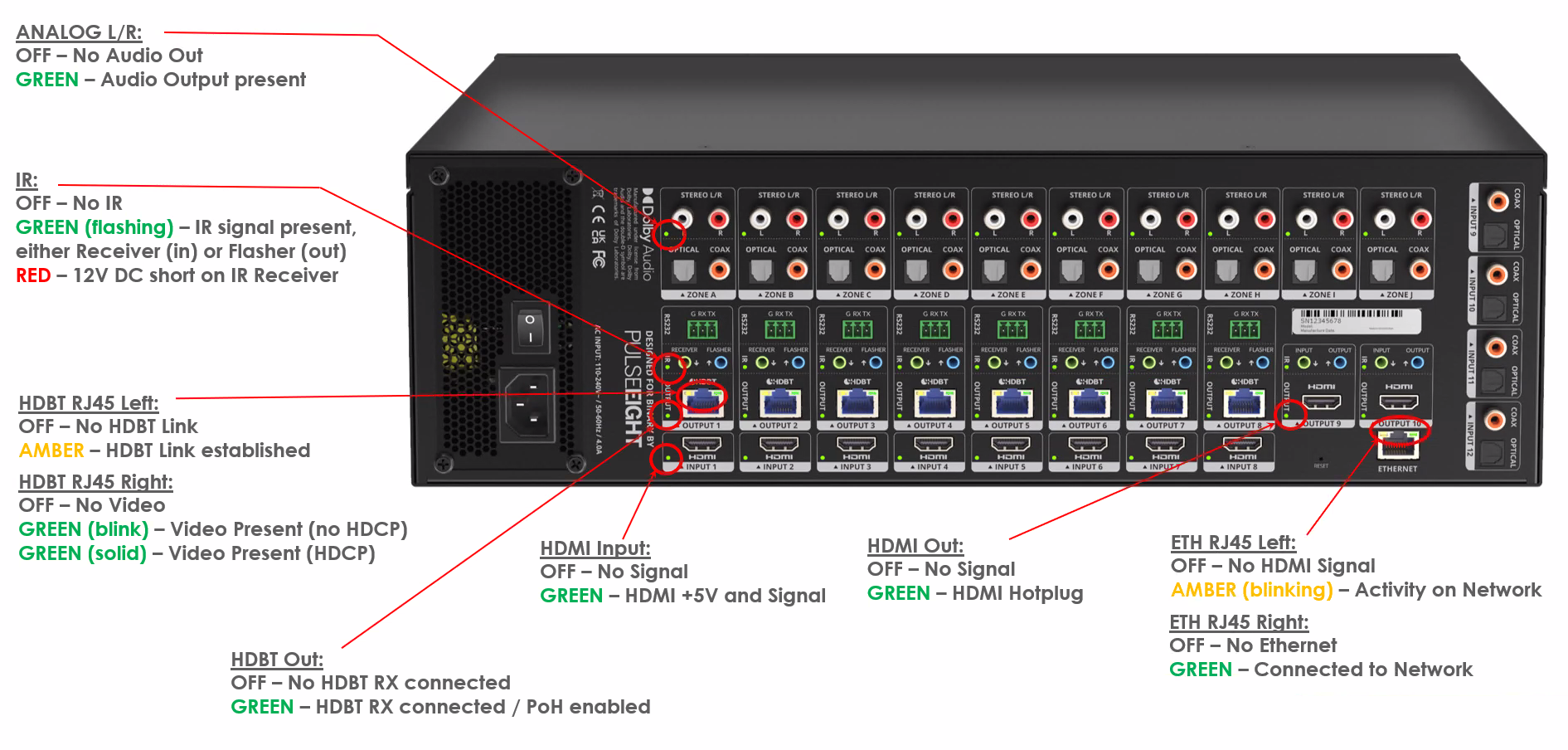
The neo:X+ has status LEDs on both the front and rear panels. Use this guide to read them when diagnosing a fault on site.
Front Panel LEDs
Three LEDs on the front panel give an at-a-glance summary of system health, network, and cloud connectivity.
System Health LED
| State | Meaning |
|---|
| RED | Powering on, or a fault has been found |
| GREEN | System healthy |
Network LED
| State | Meaning |
|---|
| RED | No network cable connected |
| AMBER (Flashing) | Discovering IP address |
| AMBER (Solid) | Have IP but cannot ping router |
| GREEN (Flashing) | Cannot reach internet |
| GREEN (Solid) | Network healthy |
Cloud LED
| State | Meaning |
|---|
| RED | Not connected to the Pulse-Eight cloud |
| GREEN | Connected to the Pulse-Eight cloud |
Rear Panel LEDs
Each input and output block on the rear panel has its own LEDs for audio, IR, video, and network status.
Analog L/R
| State | Meaning |
|---|
| OFF | No audio out |
| GREEN | Audio output present |
IR
| State | Meaning |
|---|
| OFF | No IR |
| GREEN (Flashing) | IR signal present, either Receiver (in) or Flasher (out) |
| RED | 12V DC short on IR Receiver |
HDBT RJ45 — Left LED
| State | Meaning |
|---|
| OFF | No HDBaseT link |
| AMBER | HDBaseT link established |
HDBT RJ45 — Right LED
| State | Meaning |
|---|
| OFF | No video |
| GREEN (Blink) | Video present, no HDCP |
| GREEN (Solid) | Video present, HDCP active |
HDMI Input
| State | Meaning |
|---|
| OFF | No signal |
| GREEN | HDMI +5V and signal present |
HDMI Out
| State | Meaning |
|---|
| OFF | No signal |
| GREEN | HDMI hotplug present |
HDBT Out
| State | Meaning |
|---|
| OFF | No HDBaseT receiver connected |
| GREEN | HDBaseT receiver connected, PoH enabled |
ETH RJ45 — Left LED
| State | Meaning |
|---|
| OFF | No HDMI signal |
| AMBER (Blinking) | Activity on network |
ETH RJ45 — Right LED
| State | Meaning |
|---|
| OFF | No Ethernet |
| GREEN | Connected to network |
Related Articles
Was this article helpful?