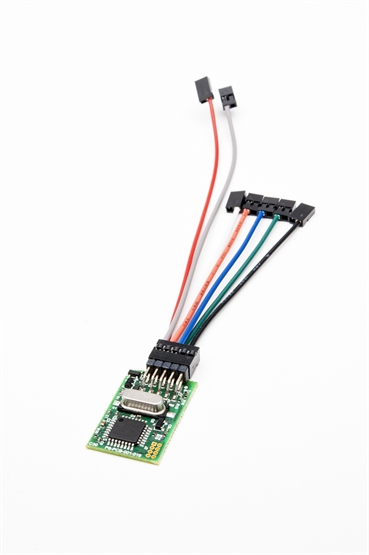
This article describes the cable harness supplied with the Intel NUC HDMI-CEC Adapter for 4th generation NUC units, including the compatible model list and connector pinout.
The Intel NUC HDMI-CEC Adapter is legacy hardware. Intel discontinued the NUC product line in 2023. For new installations, the USB-CEC Adapter is the current recommended product.
Compatible NUC Models
The 4th Gen cable harness is compatible with the following NUC models:
| Model |
|---|
| DE3815TYKHE |
| DE3815TYBE |
| D54250WYKH |
| D54250WYK |
| D54250WYB |
| D34010WYKH |
| D34010WYK |
| D34010WYB |
If your NUC model is not listed here, check the Intel NUC CEC Adapters — Hardware Compatibility and Legacy Notice article to identify the correct harness for your generation.
Connector Pinout
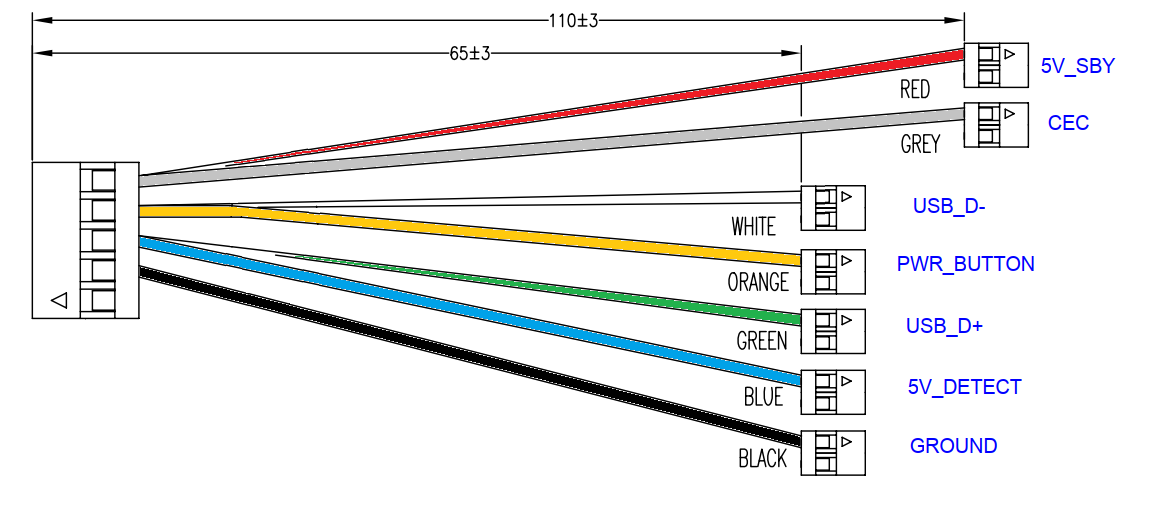
The 4th Gen harness connects to the NUC motherboard's internal header. The pinout for the harness connector is as follows:
| Pin | Signal | Notes |
|---|---|---|
| 1 | CEC | HDMI CEC signal line |
| 2 | GND | Ground |
| 3 | 5Vsby | Standby 5V — required for adapter operation |
The adapter requires standby 5V (5Vsby) to function. Do not connect it to a 3.3V standby pin — the adapter will not operate and CEC will not work. See What Power Does the NUC-CEC Use? for more detail.
Related Articles
- Intel NUC CEC Adapters — Hardware Compatibility and Legacy Notice
- What Power Does the NUC-CEC Use?
- How to Install libCEC (Windows)
- Getting Started — CEC Adapter
Need help identifying the correct harness or header?
Contact Pulse-Eight support with your NUC model number.
UK: 01202 413 610 | US: (858) 748-8250 | support@pulse-eight.com
Contact Pulse-Eight support with your NUC model number.
UK: 01202 413 610 | US: (858) 748-8250 | support@pulse-eight.com