The LibCEC Standby Monitor is a lightweight utility that turns your TV off after the PC has been idle for a set period, and back on when activity resumes. It is an alternative to CEC-Tray for users who want inactivity-based power control rather than boot and shutdown triggers.
Installation
Download the LibCEC Standby Monitor installer from the Pulse-Eight GitHub releases page and run it. Once installed, the application can be found at:
C:\Program Files (x86)\Pulse-Eight\USB-CEC Adapter\Standby Monitor\
Using the Standby Monitor
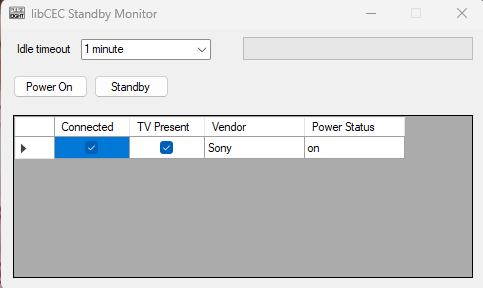
Launch the application from the Start menu or from the installation folder. A small window will open with three main sections.
Idle Timer
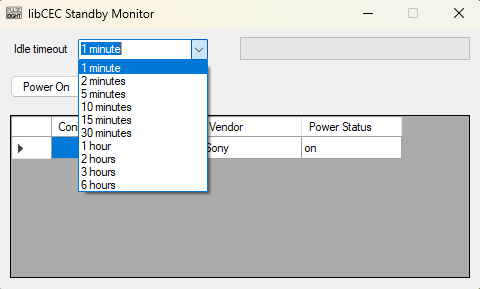
Use the Idle Timeout dropdown to set how long the PC must be idle before a CEC Standby command is sent to the TV. The available intervals are 1, 2, 5, 10, 15, and 30 minutes, or 1, 2, 3, and 6 hours.
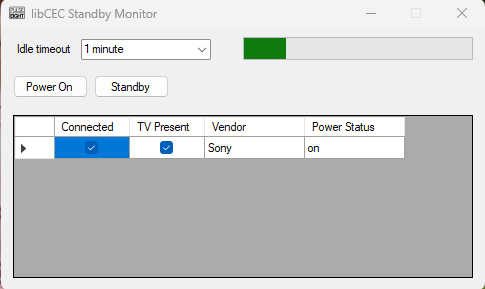
Once a timeout is selected and the PC becomes idle, a green progress bar will begin filling to show how close the PC is to sending the standby command. Moving the mouse or pressing a key resets the timer.
Power On / Standby Buttons
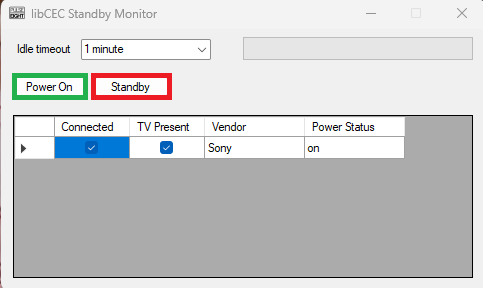
Below the idle timer are two buttons for sending commands immediately:
- Power On (green) — sends a CEC power-on command to the TV right away.
- Standby (red) — sends a CEC standby command to the TV right away.
These are useful for testing that CEC commands are working correctly, or for manually controlling the TV without waiting for the timer to expire.
Connected Devices and States
The lower section of the window shows a table with the status of your connected TV, including its vendor, power state, whether it is detected on the CEC bus, and whether it is connected to the PC. This is useful for confirming the adapter can see your TV, particularly when controlling the display from another room.
Comparing Standby Monitor and CEC-Tray
| Feature | Standby Monitor | CEC-Tray |
|---|---|---|
| TV off trigger | PC inactivity | PC shutdown / sleep |
| TV on trigger | PC activity resumes | PC boot |
| Manual send buttons | Yes | No |
| Can run alongside CEC-Tray | Yes | Yes |
Related Articles
- Which TV Power Control Method Should I Use?
- CEC Adapter — Turn Your TV On When Your Windows 11 PC Boots Using CEC-Tray
- CEC Adapter — Turn Your TV On When Your Windows 11 PC Boots Using Windows Commands
- How to Install libCEC (Windows)
Contact Pulse-Eight support with a description of the issue and which TV you are using.
UK: 01202 413 610 | US: (858) 748-8250 | support@pulse-eight.com