The neo:X+ has status LEDs on both the front and rear panels. Use this guide to read them when diagnosing a fault on site.
Front Panel LEDs
Three LEDs on the front panel give an at-a-glance summary of system health, network, and cloud connectivity.
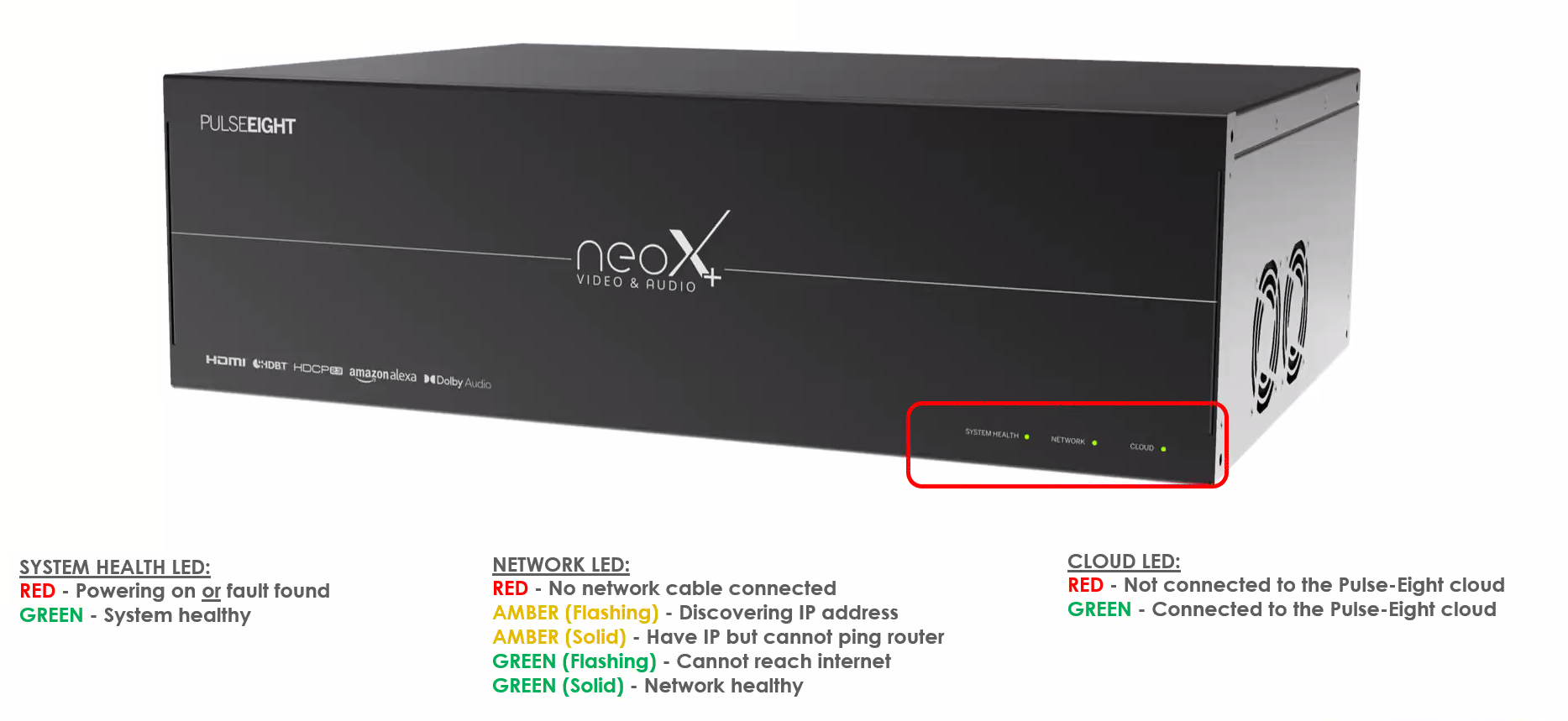
System Health LED
| State | Meaning |
|---|---|
| RED | Powering on, or a fault has been found |
| GREEN | System healthy |
Network LED
| State | Meaning |
|---|---|
| RED | No network cable connected |
| AMBER (Flashing) | Discovering IP address |
| AMBER (Solid) | Have IP but cannot ping router |
| GREEN (Flashing) | Cannot reach internet |
| GREEN (Solid) | Network healthy |
Cloud LED
| State | Meaning |
|---|---|
| RED | Not connected to the Pulse-Eight cloud |
| GREEN | Connected to the Pulse-Eight cloud |
Rear Panel LEDs
Each input and output block on the rear panel has its own LEDs for audio, IR, video, and network status.
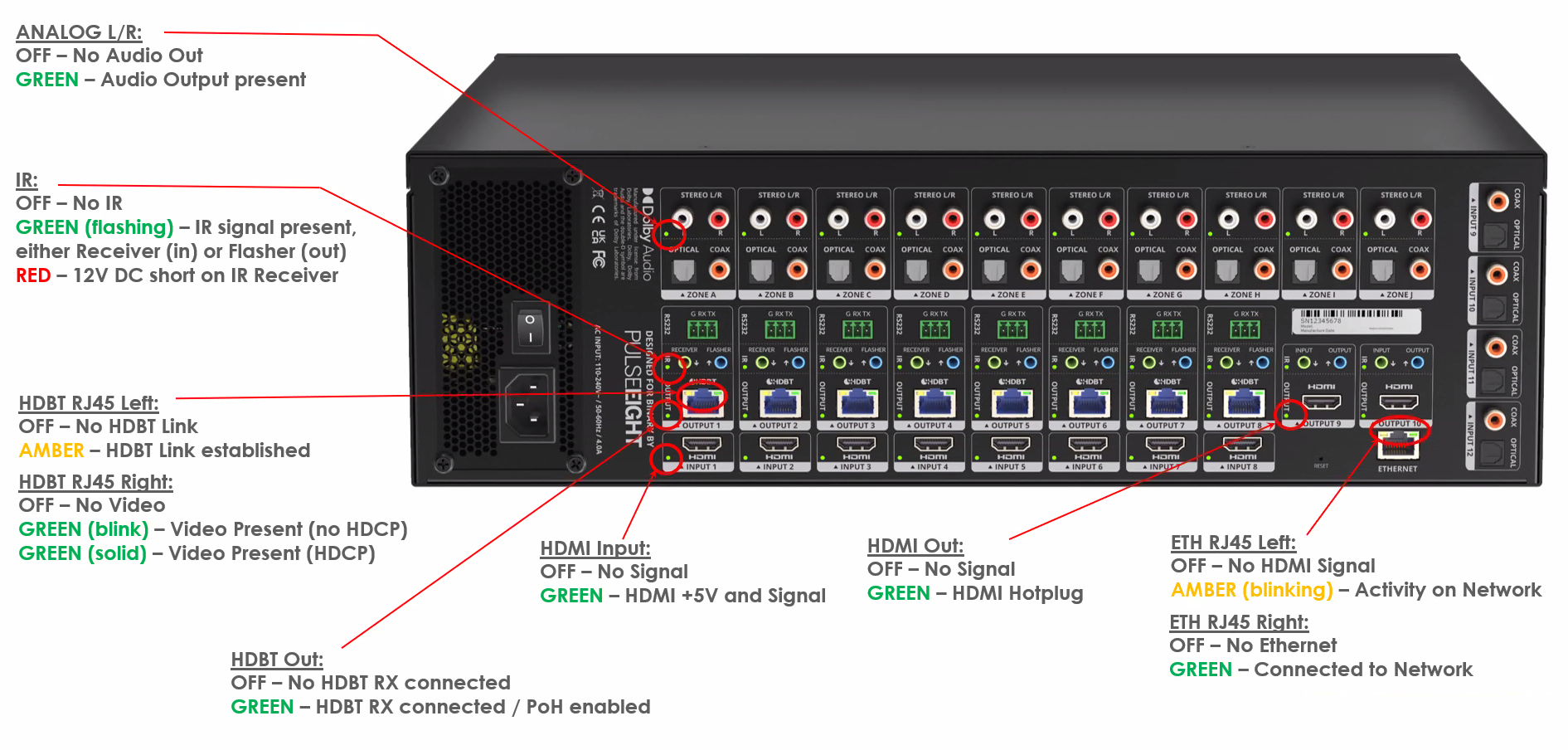
Analog L/R
| State | Meaning |
|---|---|
| OFF | No audio out |
| GREEN | Audio output present |
IR
| State | Meaning |
|---|---|
| OFF | No IR |
| GREEN (Flashing) | IR signal present, either Receiver (in) or Flasher (out) |
| RED | 12V DC short on IR Receiver |
HDBT RJ45 — Left LED
| State | Meaning |
|---|---|
| OFF | No HDBaseT link |
| AMBER | HDBaseT link established |
HDBT RJ45 — Right LED
| State | Meaning |
|---|---|
| OFF | No video |
| GREEN (Blink) | Video present, no HDCP |
| GREEN (Solid) | Video present, HDCP active |
HDMI Input
| State | Meaning |
|---|---|
| OFF | No signal |
| GREEN | HDMI +5V and signal present |
HDMI Out
| State | Meaning |
|---|---|
| OFF | No signal |
| GREEN | HDMI hotplug present |
HDBT Out
| State | Meaning |
|---|---|
| OFF | No HDBaseT receiver connected |
| GREEN | HDBaseT receiver connected, PoH enabled |
ETH RJ45 — Left LED
| State | Meaning |
|---|---|
| OFF | No HDMI signal |
| AMBER (Blinking) | Activity on network |
ETH RJ45 — Right LED
| State | Meaning |
|---|---|
| OFF | No Ethernet |
| GREEN | Connected to network |
Related Articles
- Connecting to a neo Matrix Without an Internet Connection
- HDBaseT Link Quality — How to Test and What the Results Mean
LEDs showing a fault state you can't resolve?
Get in touch and we'll help you get it sorted.
UK: 01202 413 610 | US: (858) 748-8250 | support@pulse-eight.com
Get in touch and we'll help you get it sorted.
UK: 01202 413 610 | US: (858) 748-8250 | support@pulse-eight.com
Was this article helpful?
That’s Great!
Thank you for your feedback
Sorry! We couldn't be helpful
Thank you for your feedback
Feedback sent
We appreciate your effort and will try to fix the article